01 — Overview
Neon
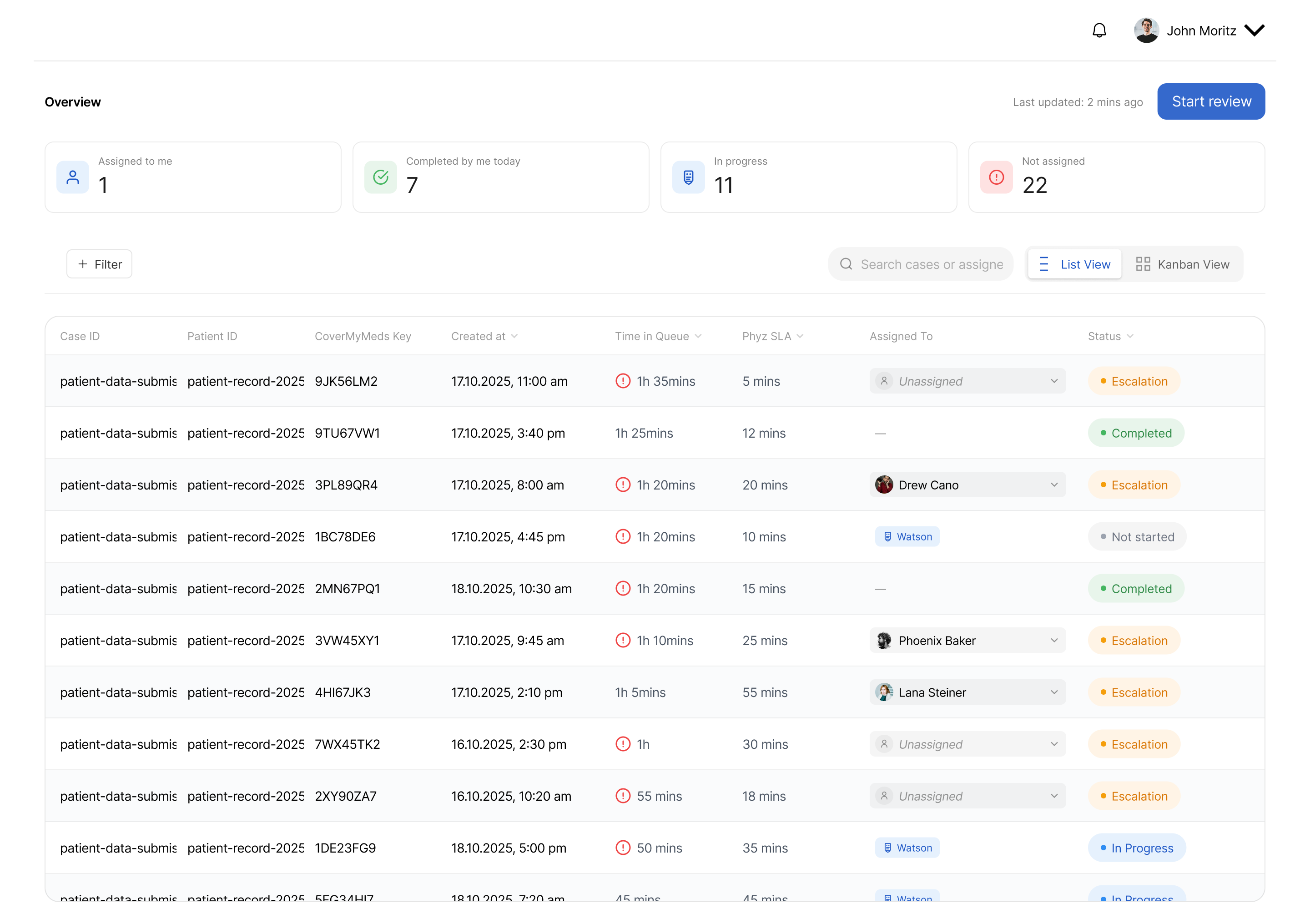
A client dashboard for a multi-step case workflow — queues, statuses, escalations and review in one clear product.
02 — The workflow
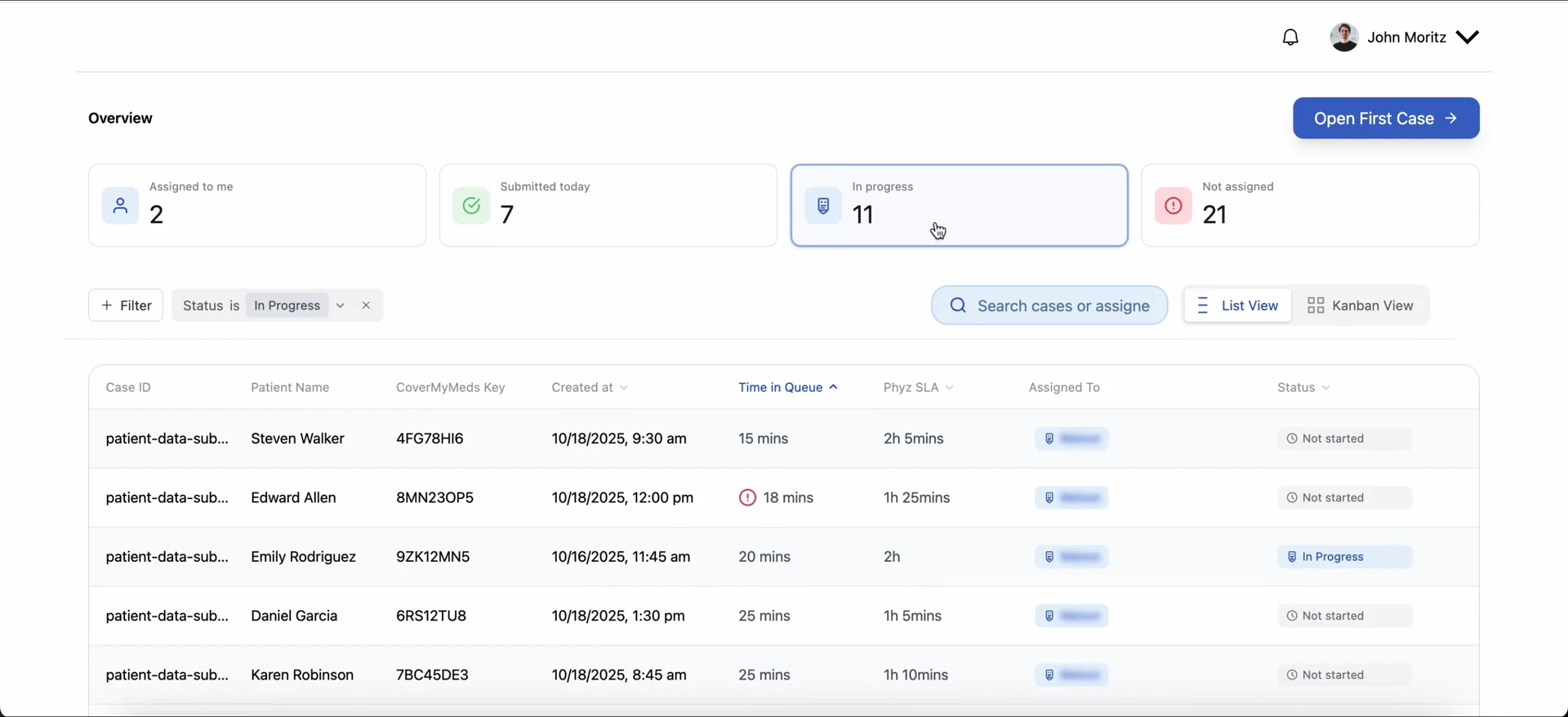
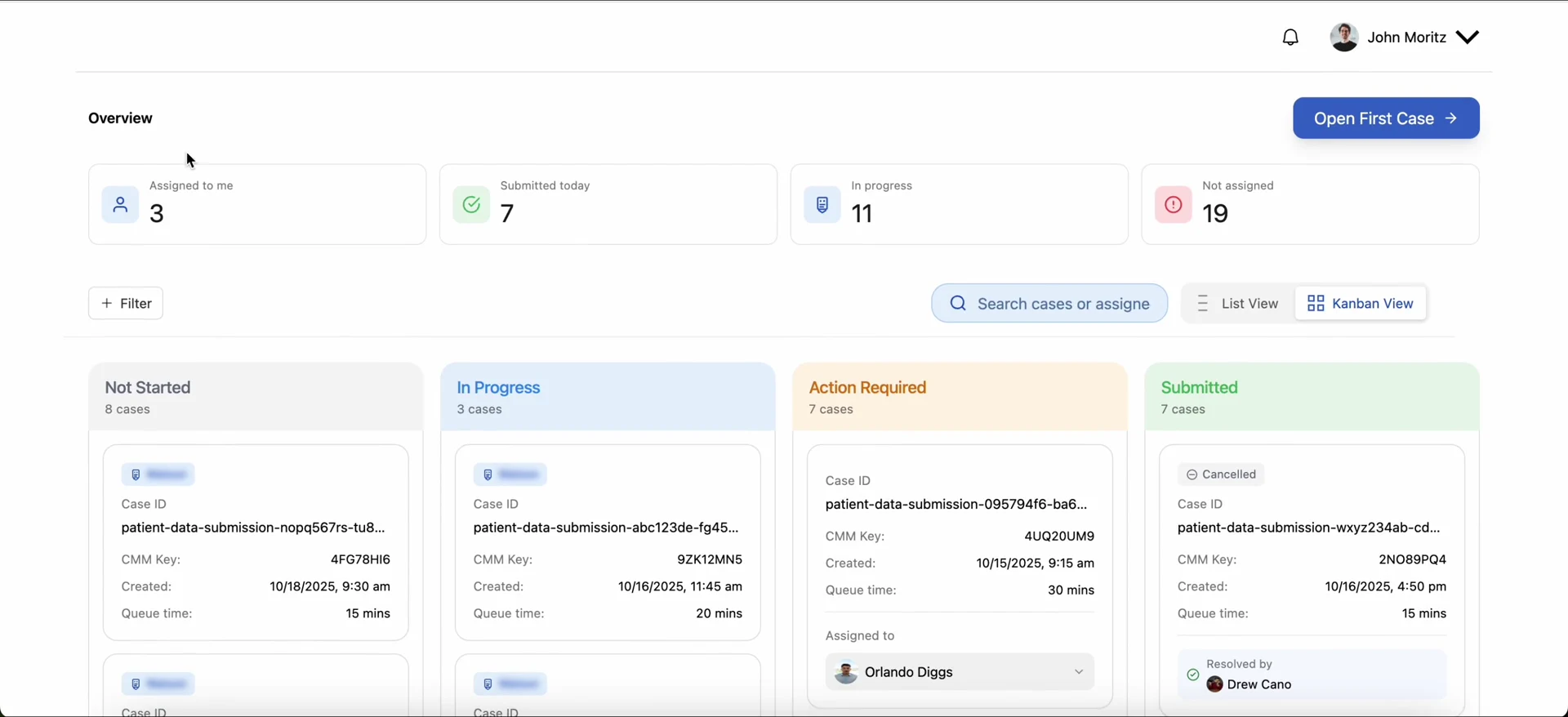
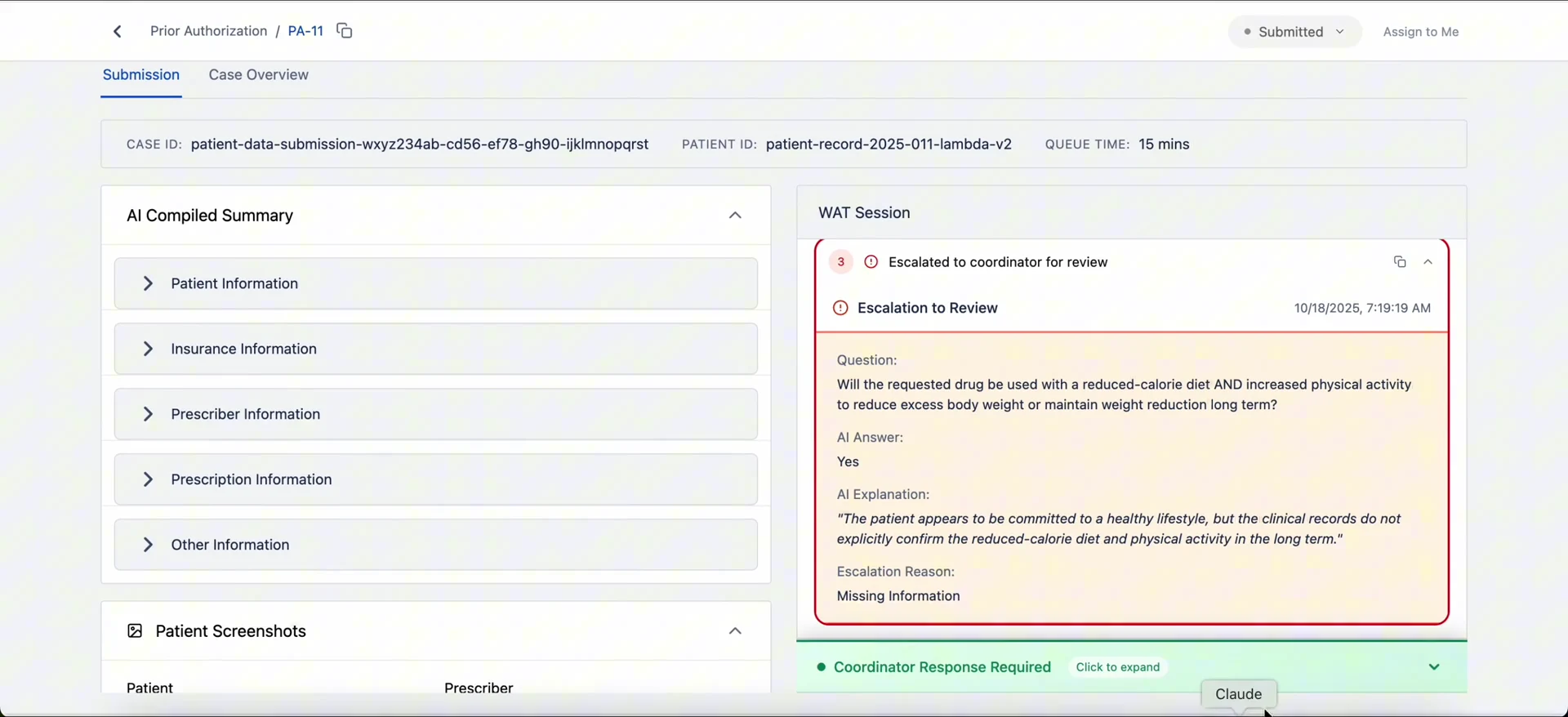
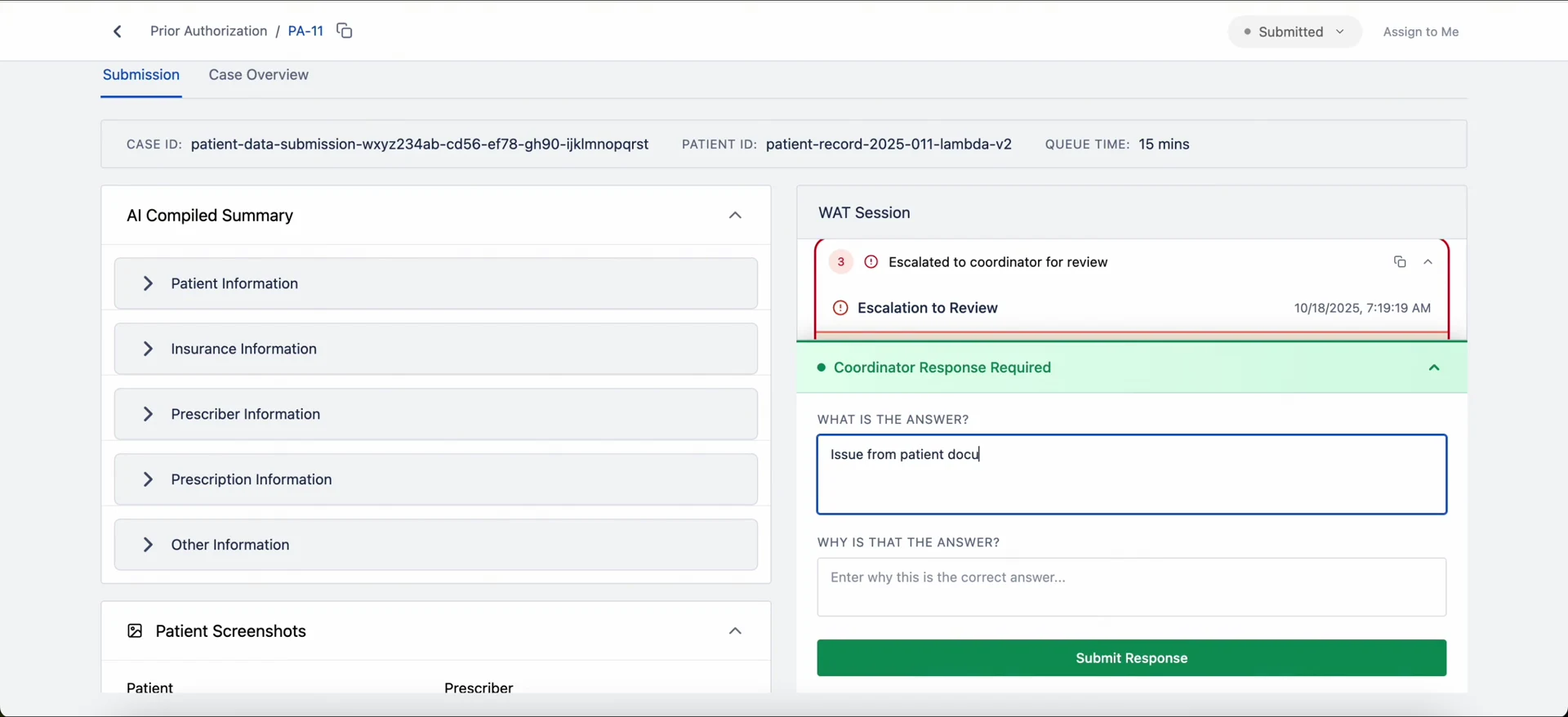
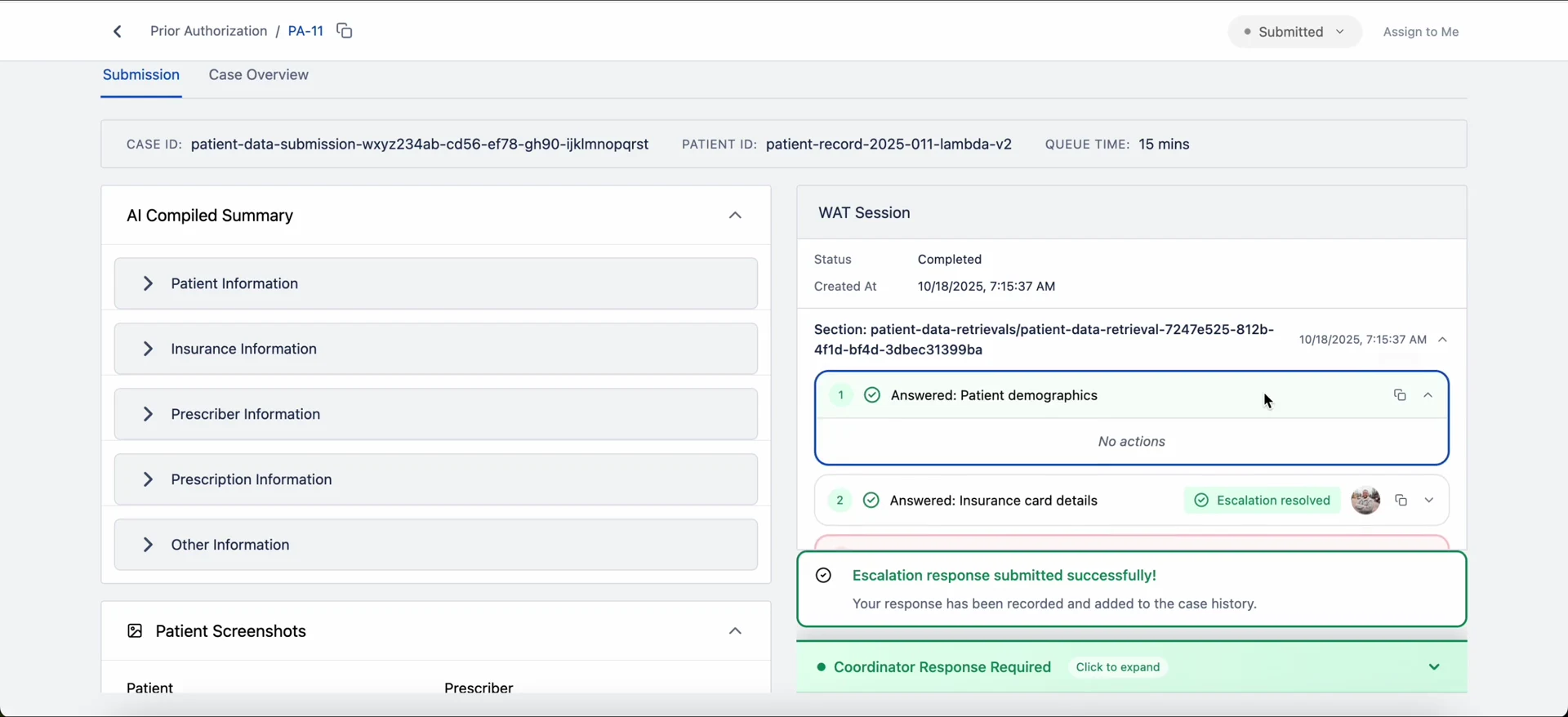
From the queue to a resolved case
How a reviewer moves through Neon, shown with real product states.
03 — Designing the system
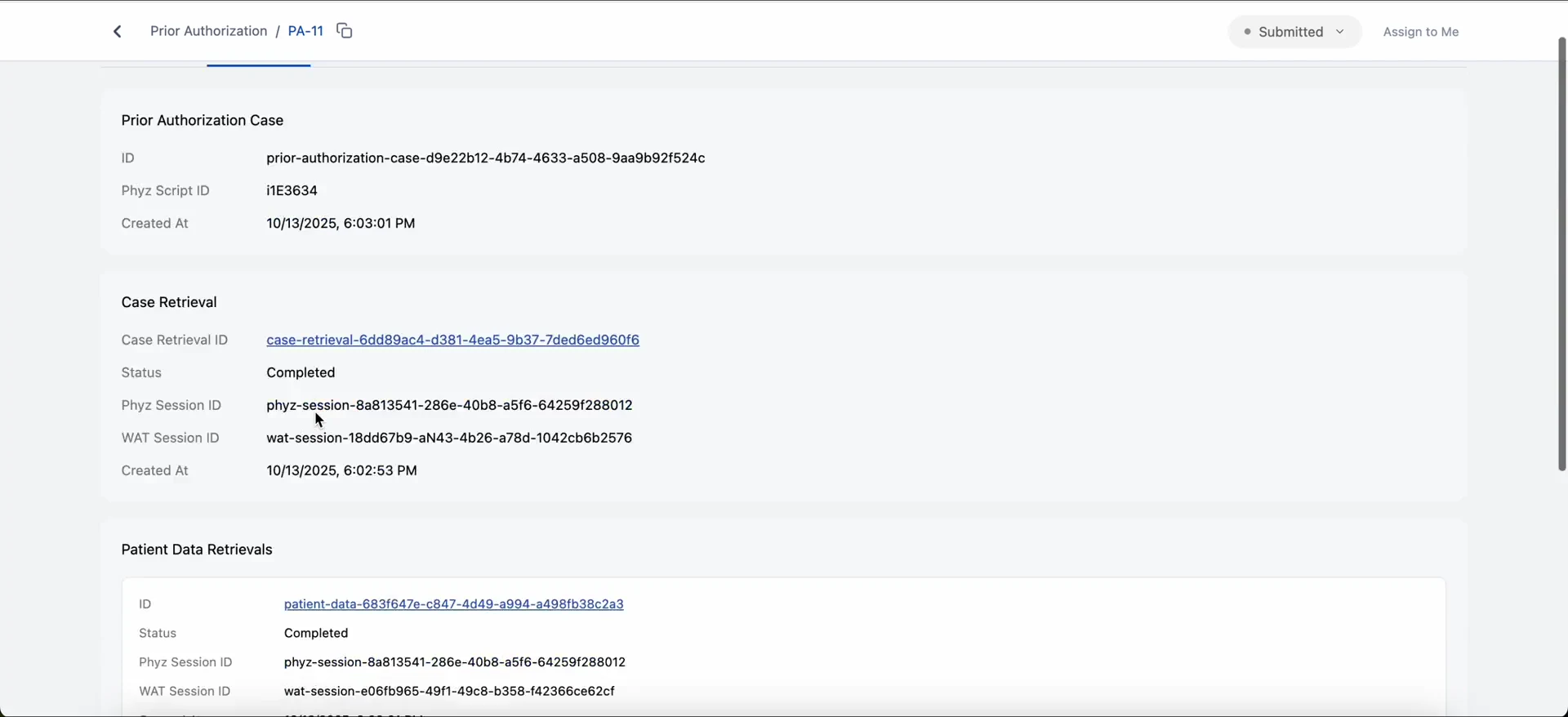
Structure that holds the complexity
Sections, navigation, key data views and interaction flows were mapped before any screen was produced.
04 — From concept to interactive product
Figma Make helped turn the defined structure into interactive product states faster. Every screen was then reviewed and refined — hierarchy, spacing and interaction logic — with a final QA pass for consistency before sharing.
05 — Final experience
The complete flow, interactive
All screens, states and navigation, shared as a live, interactive experience.
Let's build something worth using.
Available for product design roles, long-term product partnerships, and freelance engagements.